Most small businesses don’t need a robot. They need the same five emails to stop eating their mornings.
That’s what AI automation is good at: the work that’s repetitive, follows the same steps every time and never quite gets finished. This is what it can take off your plate, what it shouldn’t be trusted with, how to tell if a job is worth automating and what it costs.
What is AI automation, in plain English?
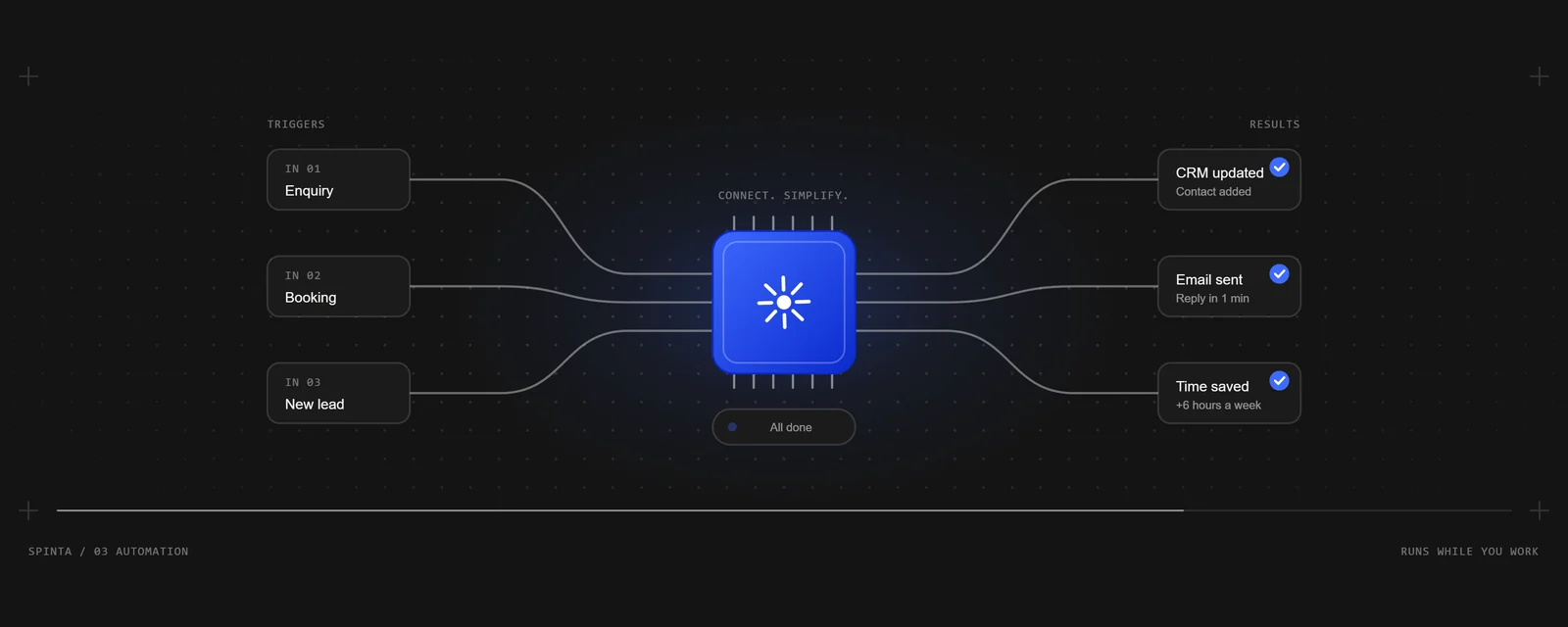
Automation is software doing a job the same way every time. A form is filled in, so the details go into your spreadsheet, a confirmation goes to the customer and you get a message. No one has to copy anything across.
The AI part is newer. It adds steps that can read and write language: understanding what an email is actually asking, sorting enquiries by what they need, pulling the details out of a message, or drafting a reply in your words.
Most useful automations are mostly plain rules with one or two AI steps where judgement on words is needed. That’s a good sign, not a weakness. The rules make it reliable, and the AI handles the bits that used to need a person to read them.
What jobs can it take off your plate?
The best candidates are the jobs you’d happily never do again. For most small businesses, that’s a list like this:
- Answering the same questions. Opening times, prices, availability and how to book, answered straight away, day or night, with anything unusual passed to you.
- Sorting enquiries. New messages read, tagged by what they need and the urgent ones flagged, so the important lead doesn’t sit under the spam.
- Following up quotes. A polite nudge a few days after a quote goes out, so work isn’t lost to a busy inbox.
- Bookings and reminders. Confirmations, reminders the day before and a message when someone cancels, all sent without you.
- Chasing invoices. A reminder when a payment is due and another when it’s late, so you don’t have to write the awkward email.
- Keeping your tools in sync. A customer’s details typed once and copied to your CRM, your calendar and your accounts.
- Asking for reviews. A message after the job is done, while the customer is still happy, with a link straight to your Google profile.
- Pulling a report together. A short summary each week of enquiries, bookings and sales, gathered from the tools it lives in.
You don’t need all of these. One that saves you an hour a day is worth more than eight that save you a minute each.
What shouldn’t it do?
AI can be confidently wrong. It writes fluently whether or not it’s right, so it shouldn’t be left alone with anything that commits your business.
Keep a person in the loop for prices that aren’t fixed, refunds and complaints, anything that sounds like advice (medical, legal or financial), and any promise about dates or results. A good automation can still help with these: it drafts the reply and waits for you to approve it, which saves most of the time without the risk.
Be upfront when a reply comes from an automated assistant. People mind being misled far more than they mind a quick, accurate answer that says it was automated.
How do you know if a job is worth automating?
A job is a good fit when it passes four tests:
- It happens often. Daily or weekly, not twice a year.
- It’s the same steps every time. If you could write the steps on a card for a new starter, it can probably be automated.
- It lives in tools that can connect. Email, forms, a booking system, a spreadsheet, a CRM. Most popular tools can send and receive data.
- A mistake is easy to catch. A wrong tag on an enquiry is fine. A wrong price on an invoice isn’t.
Then do the sum. Say answering the same handful of questions takes ten minutes, twenty times a week. That’s over three hours a week, every week. Put a value on those hours, add up a year of them and compare that with the price to build it and keep it running. If the sum works, it’s worth doing. If it doesn’t, it isn’t, however clever it sounds.
Do you need new software?
Usually not. A good automation is built around the tools you already use, so nobody has to learn a new system. The work happens in the background, between the inbox, the booking system and the spreadsheet you already have open.
What matters is that each tool can connect. Most popular business software can, either through built-in integrations or an API (the door a program uses to talk to another). It’s worth checking before you pay for anything, and anyone quoting you should check it for you.
What about customer data?
If an automation handles customers’ personal details, the same data protection rules apply as when a person does it. In the UK that’s UK GDPR, and the ICO’s guidance is the place to start.
In practice, that means knowing which services the data passes through, only collecting what the job needs, keeping it secure and saying in your privacy notice how it’s used. If an AI service reads your customers’ messages, that’s one of those services, and it belongs in the list.
What does AI automation cost?
There are two costs: building it, and keeping it running.
The build is a one-off. Ours start at £795 for one focused automation, connected to up to two of your tools, and at £1,995 for a bigger build with several connected workflows, mapped with you first.
Running it is monthly, because an automation isn’t a file you’re handed and forget. It needs hosting, someone watching it, and fixing when a tool it uses changes. AI steps and some platforms also charge for each use. Our monthly care starts at £49 for a Quick Automation and £99 for an Automation Build, and covers that upkeep with usage up to an allowance we agree with you. Every price is on the pricing page.
If a job only needs two apps joined together, you can often do it yourself with a tool like Zapier or Make, and we’ll tell you so.
Where to start
Pick one job: the one you repeat most and enjoy least. Write down its steps and the tools it touches. Build it, then run it on real cases while you check its work, before you let it run on its own. Once it’s earned your trust, move on to the next one.
That’s how we build AI automation for small businesses, and how we run our own. Pitch Daily, our research system, reads fourteen public sources every thirty minutes, unattended. If there’s a job eating your week, tell us what it is and we’ll tell you straight whether it’s worth automating, with a fixed price if it is.